How to Block An IP Address?
In some cases, IT managers need to block IP addresses to protect Internet servers. There are many options for Linux and Unix users, such as iptables. For Windows users, BeeThink IP Blocker is the best easy-to-use IP blocking program for banning both country IP addresses and single IP address.

It is convenient for BeeThink IP Blocker users to add IP addresses and IP ranges to IP block list. Users can open the IP list dialog and add IP addresses which they want to block. BeeThink IP Blocker supports two modes of blocking, which are 'blocking mode' and 'allowing mode'. With 'blocking mode', the IP blocker program bans all IP addresses those included in the IP list. With 'allowing mode', only network packets come from the IP list are allowed to pass though. Furthermore, this IP blocking software does a good job in blocking IP address ranges, such as IP address range which is from 75.0.0.0 to 75.0.200.255. BeeThink IP Blocker displays network traffic in real-time and users can monitor network activities and stop unwanted IP addresses.
For website masters, BeeThink IP Blocker bans country IP addresses with Apache's .htaccess files. As an easy-to-use IP blocking program, BeeThink IP Blocker updates it's IP list file automatically.
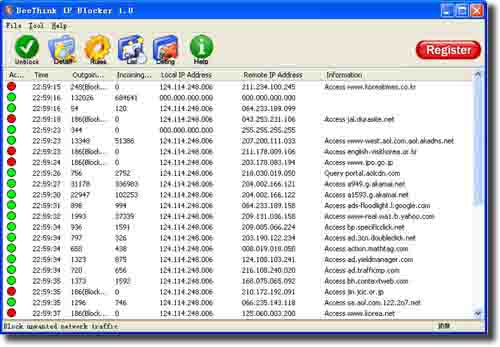
As a professional IP blocking tool, BeeThink IP blocker shows more powerful functions for banning IP purpose. Take running as a Windows service feature for example, it can be successfully used on Windows website server machines to protect Internet servers. All the functions provided by BeeThink IP Blocker make it easy to block IP addresses on Windows.